PostDeploy: errors, logs and release context
When an application fails, developers need to know what happened and which version was running. PostDeploy brings errors, logs and deployment information together. AL+ builds and operates the product, including its data ingestion, integrations and account permissions.
See it before you sign up
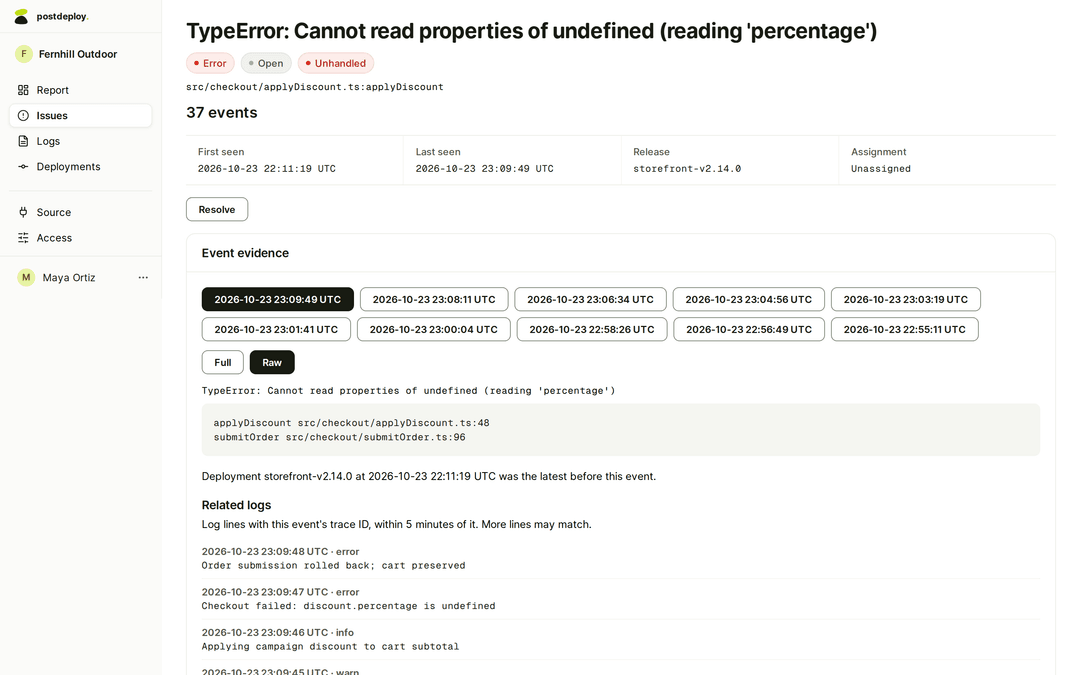
See what broke, the logs around it and the release that was live, on one screen. 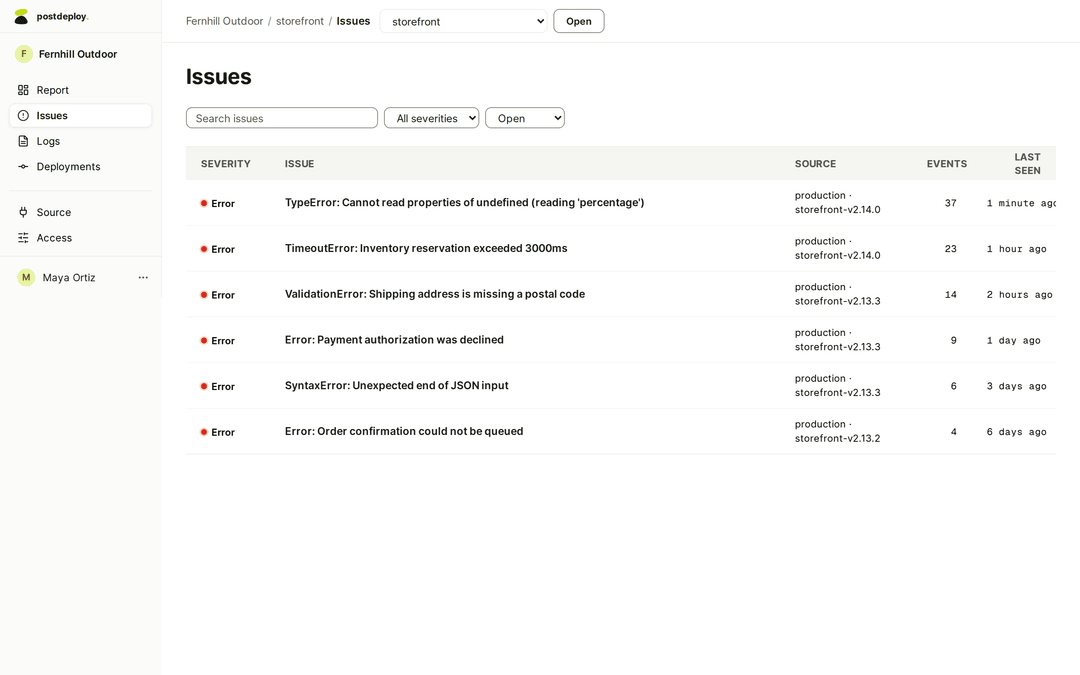
Know which errors are hitting the release you just shipped, and how often. 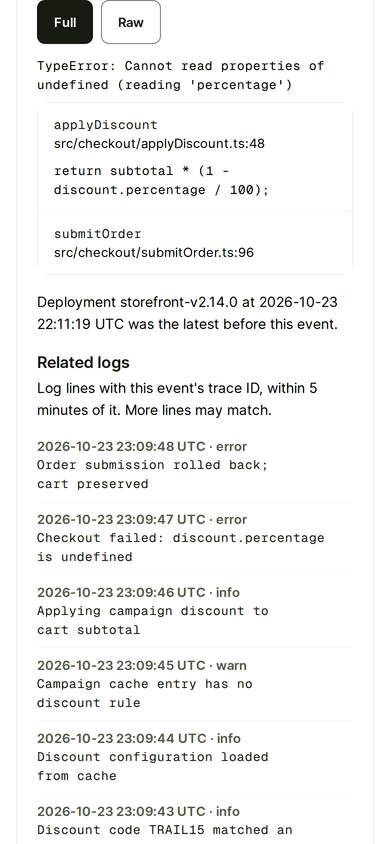
Check what broke from your phone, down to the line of code.
How it works
Change one DSN
Point your Sentry SDK at a PostDeploy DSN. Node.js sends errors and logs; Python, Ruby and Elixir send errors. To leave, change the DSN back.
Connect your agent
Add the PostDeploy MCP server to your coding agent and approve it in the browser. A new connection can only read, with the scopes you grant, and you can revoke it from the dashboard.
Record deployments from CI
One HTTP call per deploy. Your agent can then compare error rates before and after each release.
Ask what broke
Your agent lists the open issues and reads each error together with its logs and the release that was live, so it works from the evidence in production.
Try the product and check the current plan
The 14-day trial needs no payment card. See PostDeploy's pricing page for current allowances and subscription terms. PostDeploy uses the Sentry SDK and is not affiliated with Sentry.
What this demonstrates for your project
AL+ builds and runs PostDeploy. Credentials are redacted before anything is stored, and the source is published under AGPL-3.0.
This is our own product, not a client reference. It shows experience connecting external systems, collecting operational data and making that data available with controlled access. If your business needs an integration or ongoing application care, describe the problem you need solved.
Try PostDeploy free for 14 days Discuss your software with Paul